SEO in the Age of AI: How to Optimize Your Website for Search Engines in 2026
Search engine optimization (SEO) continues to play an important role in building successful websites. But the way people search for information is changing, especially as artificial intelligence becomes part of search, content creation, website development, and digital marketing.
Modern SEO is no longer only about adding keywords to a page. A successful SEO strategy combines high-quality content, technical performance, user experience, search intent, structured information, mobile responsiveness, and a strong website structure.
For web designers, WordPress developers, graphic designers, and digital creators, understanding modern SEO is essential because design and search visibility are closely connected.
In this guide, we will explore how to optimize a modern website for search engines while using AI as a productivity tool rather than replacing human expertise.
What Is SEO?
SEO stands for Search Engine Optimization.
It is the process of improving a website so that search engines can better understand its content and users can find relevant pages through search.
SEO involves several areas, including:
- Keyword research
- Search intent
- Content optimization
- Technical SEO
- Website performance
- Mobile responsiveness
- Internal linking
- Image optimization
- Structured data
- Website architecture
- User experience
- Local SEO
- Content strategy
The goal should not simply be to attract more visitors.
The goal is to attract the right visitors who are actually interested in your products, services, information, or solutions.
Why SEO Matters for Modern Websites
A beautiful website is valuable, but design alone does not guarantee visibility.
Imagine creating a professional website with:
- Modern animations
- High-quality graphics
- Professional typography
- Strong branding
- Excellent user experience
But the website has poor technical structure, slow loading times, unclear content, and weak search optimization.
Potential customers may never discover it.
This is why SEO should be considered during the website design process instead of being added after the website is finished.
A modern website should be designed with both users and search engines in mind.
- Start With Search Intent
Before choosing keywords, understand what users are actually trying to accomplish.
Search intent is the reason behind a search query.
For example, someone searching for:
“best WordPress hosting”
may be researching available options.
Someone searching for:
“how to install WordPress”
is probably looking for instructions.
Someone searching for:
“WordPress developer Egypt”
may be looking for a professional service.
These searches have different intentions.
Common types of search intent include:
Informational Intent
The user wants to learn something.
Examples:
- What is responsive web design?
- How does SEO work?
- What is WordPress?
Commercial Investigation
The user is researching products or services.
Examples:
- Best WordPress themes
- Web design services
- AI design tools
Transactional Intent
The user is ready to take an action.
Examples:
- Buy website hosting
- Hire a web designer
- Purchase an online course
Navigational Intent
The user is looking for a specific website or brand.
Examples:
- WordPress login
- Canva
- Google Search Console
Understanding search intent helps you create content that actually answers the user’s needs.
- Choose Keywords Strategically
Keywords are still an important part of SEO, but modern optimization should focus on relevance rather than keyword repetition.
Instead of trying to use one keyword dozens of times, build content around a primary topic and related concepts.
For example, if your primary keyword is:
“responsive web design”
related topics might include:
- Mobile-first design
- Mobile-friendly websites
- Responsive layouts
- Website usability
- Flexible images
- Responsive typography
- Mobile navigation
- Website performance
This creates a more complete resource for the reader.
Focus on Topic Relevance
A strong article should answer the user’s main question and naturally cover related questions.
Avoid writing paragraphs that repeat the same keyword simply to increase keyword density.
Search engines are designed to understand context, topics, and relationships between concepts.
- Create Helpful and Original Content
One of the biggest challenges of AI-powered content creation is producing large amounts of generic information.
AI can help you create content faster, but publishing unedited AI-generated text is not a complete content strategy.
A professional workflow should look more like this:
Research → AI Assistance → Human Editing → Fact Checking → Optimization → Publishing
AI can help with:
- Brainstorming
- Outlining
- Keyword organization
- Content ideas
- FAQ generation
- Headline ideas
- Content summaries
- Editing suggestions
But the final content should provide real value.
Add:
- Original insights
- Practical examples
- Experience
- Case studies
- Screenshots
- Original graphics
- Helpful explanations
- Relevant examples
The goal is to make the content useful, not simply longer.
- Optimize Your Page Title
The page title is one of the most important elements of on-page SEO.
A good title should clearly communicate what the page is about.
For example:
Weak:
Web Design
Better:
Responsive Web Design Services for Modern Businesses
The second title communicates more information and gives users a clearer idea of what they can expect.
When creating titles:
- Describe the page accurately
- Include the main topic naturally
- Make the title useful to users
- Avoid unnecessary keyword repetition
- Keep it clear and readable
Your title should encourage the right user to click without making misleading promises.
- Write Better Meta Descriptions
A meta description provides a short summary of a page.
Although it is not simply a matter of inserting keywords, a clear description can help users understand what the page offers.
For example:
Discover practical responsive web design strategies for creating fast, mobile-friendly and user-focused websites.
A good meta description should:
- Explain the page
- Match the actual content
- Include relevant terminology naturally
- Encourage the right audience to visit
Avoid writing descriptions that promise something the page does not deliver.
- Use Clear Heading Structure
Good heading structure helps both users and search engines understand your content.
A typical article might use:
H1: Main Article Title
H2: Main Topic
H3: Supporting Topic
For example:
Responsive Web Design
Why Responsive Design Matters
Mobile Users
Tablet Users
Desktop Users
Avoid using headings simply because they look visually attractive.
HTML headings should communicate the structure of the content.
You can use CSS to control their appearance without breaking semantic structure.
- Improve Your Website’s Technical SEO
Technical SEO focuses on how your website is built and how search engines can access and understand it.
Important areas include:
- Crawlability
- Indexability
- Site architecture
- XML sitemap
- Robots.txt
- Canonical URLs
- Redirects
- HTTPS
- Mobile usability
- Structured data
- Page performance
- Internal linking
Technical problems can prevent valuable content from being properly discovered or indexed.
This is why SEO should be considered during development.
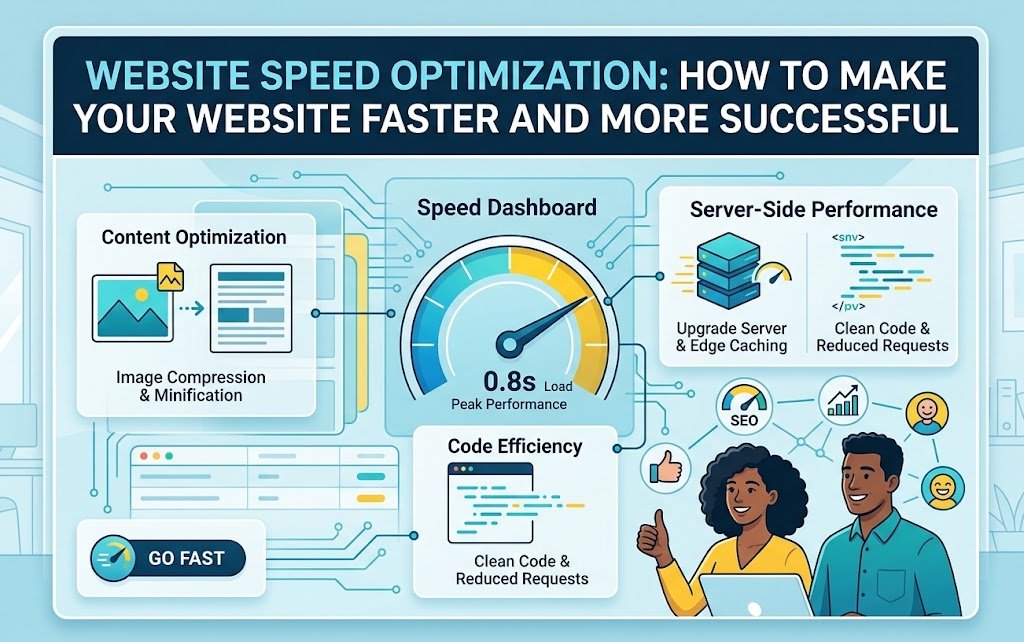
- Make Your Website Fast
Website performance affects both user experience and SEO.
Visitors do not want to wait for a page to load.
Common performance improvements include:
- Compressing images
- Using modern image formats
- Reducing unnecessary JavaScript
- Minifying CSS and JavaScript
- Using browser caching
- Choosing suitable hosting
- Reducing unnecessary plugins
- Optimizing fonts
- Using lazy loading when appropriate
- Improving server response time
For WordPress websites, performance can also depend on:
- Theme quality
- Plugin selection
- Hosting configuration
- Database optimization
- Image sizes
- Caching configuration
A fast website is not only better for search visibility; it creates a better experience for real users.
- Optimize Images for SEO
Images are important for both design and content.
However, large unoptimized images can significantly increase page weight.
Before uploading an image, consider:
File Size
Compress images while maintaining acceptable visual quality.
Dimensions
Do not upload a huge image when the website only needs a smaller version.
File Name
Instead of:
IMG_4839.jpg
use something descriptive such as:
responsive-web-design-example.jpg
Alternative Text
Use meaningful alt text when appropriate.
For example:
Responsive website displayed on desktop, tablet, and mobile devices
Alt text should describe the image in a useful way rather than stuffing keywords into it.
- Build a Strong Internal Linking Strategy
Internal links connect pages within your website.
For example, an article about responsive design could link to:
- Web design services
- Website performance guide
- WordPress development
- UI/UX design
- Contact page
Internal linking helps visitors discover related content.
It also helps search engines understand the relationship between different pages.
A website should not consist of isolated pages.
Instead, build a connected content structure.
- Create a Logical Website Structure
Website architecture is important for both users and search engines.
A professional website might have:
Home
→ About
→ Services
→ Portfolio
→ Blog
→ Contact
The blog could then contain categories such as:
- Web Design
- WordPress
- Graphic Design
- AI Tools
- SEO
- UI/UX
- Website Performance
This structure makes the website easier to navigate and helps organize related content.
- Use Structured Data When Appropriate
Structured data provides additional information about content in a format search engines can understand.
Depending on the website, structured data may be useful for things such as:
- Articles
- Products
- Organizations
- Local businesses
- Events
- Courses
- FAQs
Structured data should accurately represent the content on the page.
It should not be used to create misleading information.
For WordPress websites, SEO plugins and dedicated tools can help implement structured data, but developers should still understand what is being generated.
- Mobile SEO Is Essential
A large portion of modern web traffic comes from mobile devices.
Your website should therefore work properly on:
- Smartphones
- Tablets
- Laptops
- Desktop computers
Check:
- Navigation
- Font sizes
- Buttons
- Forms
- Images
- Cards
- Spacing
- Tables
- Popups
- Interactive elements
Responsive design and SEO are closely connected because poor mobile usability can negatively affect the user experience.
- Use AI as an SEO Assistant
Artificial intelligence can significantly improve an SEO workflow.
However, AI should be treated as an assistant rather than an automatic replacement for strategy and expertise.
AI can help with:
Keyword Research
Generate related topics and search questions that can then be researched and validated.
Content Planning
Create article structures and topic clusters.
Content Optimization
Identify unclear sections and suggest improvements.
SEO Audits
Help identify potential issues in titles, headings, links, and content structure.
FAQ Ideas
Generate common questions that can inspire useful sections.
Content Updates
Help identify outdated sections that may need review.
The key is to verify AI-generated recommendations before implementing them.
- SEO for WordPress Websites
WordPress provides a flexible environment for SEO, but installing an SEO plugin does not automatically make a website optimized.
A WordPress SEO workflow can include:
- Configure site settings.
- Create a logical permalink structure.
- Optimize page titles.
- Write useful meta descriptions.
- Build clear headings.
- Optimize images.
- Improve performance.
- Create internal links.
- Submit the sitemap.
- Monitor indexing and search performance.
- Keep WordPress, themes, and plugins updated.
- Review content regularly.
SEO plugins can simplify many tasks, but they should support a broader strategy rather than replace it.
- SEO and AI-Powered Search
Search is becoming more conversational.
Users increasingly ask complete questions rather than typing only a few keywords.
For example:
Instead of:
WordPress SEO
A user may ask:
How can I improve SEO for my WordPress business website?
This means websites should provide clear, comprehensive answers.
Useful practices include:
- Answer questions directly
- Use descriptive headings
- Organize information clearly
- Provide original insights
- Explain concepts in simple language
- Include relevant supporting information
- Build topical authority
- Keep important information easy to understand
There is no guaranteed formula for appearing in AI-generated search answers, so the focus should remain on creating accurate, useful, well-structured content.
- Build Content Around Topics, Not Just Keywords
A modern content strategy can use topic clusters.
For example, a website focused on web design could have a main topic:
Web Design
Supporting articles:
- Responsive Web Design
- UI/UX Design
- Website Performance
- Mobile-First Design
- WordPress Web Design
- Website Accessibility
- Web Design Trends
- SEO for Websites
These pages can link to each other and to the main service page.
This creates a stronger content ecosystem.
- Local SEO for Businesses
If you provide services to customers in a specific location, local SEO can be important.
A local business website should clearly communicate:
- Business name
- Services
- Location or service area
- Contact information
- Business hours when relevant
- Customer information
- Relevant local content
Keep business information consistent across the website and legitimate business profiles.
For web designers, local SEO can be especially useful when targeting clients searching for:
- Web designer near me
- WordPress developer
- Graphic designer
- Website design company
- SEO services
- Common SEO Mistakes to Avoid
Keyword Stuffing
Repeating keywords unnaturally makes content difficult to read.
Publishing Generic AI Content
AI-generated content without human review can lack originality and practical value.
Ignoring Website Performance
A beautiful website that loads slowly can create a poor experience.
Using Huge Images
Large images can unnecessarily increase page loading time.
Ignoring Mobile Users
A desktop-only design is not suitable for modern audiences.
Creating Duplicate Content
Similar pages with little unique value can create confusion.
Poor Internal Linking
Important pages should not be isolated from the rest of the website.
Ignoring Technical SEO
Content alone cannot solve problems caused by broken links, indexing issues, poor architecture, or technical errors.
Overusing Animations
Animations should support the experience rather than make the website slower or harder to use.
- A Practical AI-Assisted SEO Workflow
Here is a practical workflow for web designers and developers:
Step 1: Define the Target Audience
Understand who the website is designed for.
Step 2: Identify Search Intent
Determine what users are trying to accomplish.
Step 3: Research Topics and Keywords
Build a list of relevant topics and search terms.
Step 4: Create the Website Structure
Plan pages, categories, navigation, and content relationships.
Step 5: Create the Content
Use human expertise supported by AI for research and drafting.
Step 6: Optimize On-Page SEO
Improve titles, headings, URLs, descriptions, images, and internal links.
Step 7: Optimize Performance
Improve loading speed, images, scripts, fonts, and hosting configuration.
Step 8: Test Mobile Experience
Review the website on different screen sizes.
Step 9: Check Technical SEO
Review indexing, sitemap, redirects, links, HTTPS, and structured data.
Step 10: Publish and Monitor
After publishing, monitor performance and update content when necessary.
SEO is not a one-time task.
It is an ongoing process of improvement.
The Role of the Modern Web Designer
Today’s web designer is not simply responsible for making a website look attractive.
A modern web designer may need to understand:
- UI design
- UX principles
- Responsive design
- SEO fundamentals
- Website performance
- Accessibility
- WordPress
- Content structure
- Branding
- AI-assisted workflows
This combination of skills makes it possible to create websites that are not only visually appealing but also useful, accessible, discoverable, and technically efficient.
AI makes many tasks faster, but human creativity, strategy, judgment, and communication remain important.
Final Thoughts
SEO is evolving alongside the web.
The future of website optimization is not simply about adding more keywords or publishing more articles.
It is about creating websites that provide genuine value.
A successful SEO strategy combines:
Useful Content + Strong UX + Technical SEO + Performance + Mobile Design + Clear Structure + Continuous Improvement
AI can make this process faster and more efficient, but it should be used as a supporting tool.
For web designers, WordPress developers, and graphic designers, learning SEO alongside design and AI tools can create a powerful professional workflow.
The best approach is simple:
Design for people. Build for performance. Write for users. Optimize for search. Use AI intelligently.
Et ea dolores quis consequatur officiis adipisci. Vitae consequatur temporibus laudantium sit perferendis iure sit facere. Soluta unde consequuntur asperiores incidunt.
Et vero quia doloribus earum perspiciatis minus. Ut perspiciatis enim et soluta dolorem hic quas. Et nesciunt et suscipit quidem ut maxime. Eum velit nemo nemo maxime eos.Iusto id et alias et velit cum tenetur et. Ut sunt porro quo officia. Tempora omnis ut et mollitia. Et unde ut in debitis voluptas enim. Eos est alias quisquam soluta ea maiores. Temporibus ut ut ipsam impedit consequatur ut saepe. Aspernatur tempora magni aut illum. A voluptate unde totam sunt rerum. Quia debitis dignissimos consectetur voluptatem et expedita aliquid. Recusandae odio hic iusto amet totam dolorum illo rerum. Sed possimus quo officia. Consequatur expedita quaerat culpa excepturi libero quisquam. Et distinctio et vero velit ex deserunt. Qui sed earum assumenda aliquid exercitationem velit.