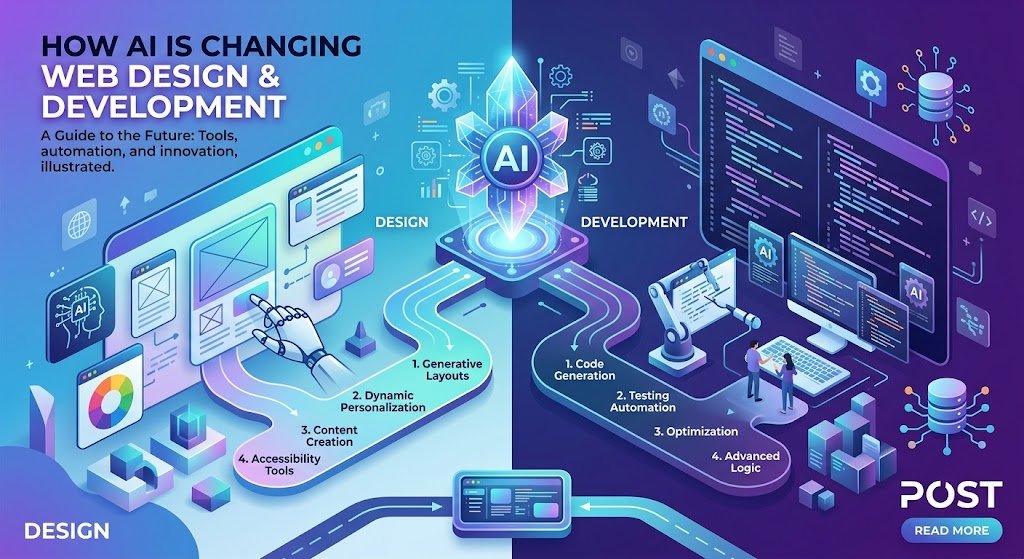
Website Speed Optimization: How to Make Your Website Faster and More Successful
A beautiful website is not enough.
If a website takes too long to load, visitors may leave before they see the content, products, services, or portfolio.
Website performance has become an essential part of modern web design and development. A fast website provides a better user experience, supports mobile users, and creates a stronger technical foundation for search engine optimization.
Whether you are building a WordPress website, an e-commerce store, a portfolio, or a modern web application, performance should be considered from the beginning of the project.
In this article, we will explore the most important website speed optimization techniques and how designers and developers can use modern tools, including AI, to improve website performance.
What Is Website Performance?
Website performance describes how efficiently a website loads, responds, and interacts with users.
Performance can involve:
- Page loading speed
- Server response time
- Image loading
- JavaScript execution
- CSS delivery
- Font loading
- Interactive elements
- Mobile performance
- Overall responsiveness
A website can look visually impressive while still having poor performance.
Good web design therefore needs to balance:
Visual Quality + Functionality + Performance + Usability
Why Website Speed Matters
Visitors expect websites to respond quickly.
A slow website can create problems such as:
- Frustrating users
- Increasing abandonment
- Reducing engagement
- Making navigation difficult
- Affecting conversions
- Creating a poor mobile experience
For businesses, performance can directly affect the overall digital experience.
For example, an e-commerce customer may abandon a purchase if product pages or checkout take too long to load.
A professional website should therefore be designed with performance in mind from the beginning.
- Optimize Images
Images are often one of the largest assets on a website.
A high-resolution image may be several megabytes even though the visitor only needs a much smaller version.
Before uploading images, consider:
- Dimensions
- File size
- Compression
- File format
- Quality
- Responsive versions
Modern image formats can help reduce file sizes while maintaining good visual quality.
A simple workflow is:
Original Image → Resize → Compress → Optimize → Upload → Test
- Use the Correct Image Dimensions
Uploading a 4000-pixel-wide image into a section that only displays it at 800 pixels is usually unnecessary.
Prepare images according to their actual usage.
For example:
A small blog thumbnail does not need the same dimensions as a full-width hero image.
Using appropriately sized images can reduce unnecessary data transfer.
- Lazy Load Images
Not every image needs to load immediately.
Images that appear below the initial visible area can often be loaded when they become relevant.
This technique is commonly known as lazy loading.
It can help reduce the amount of content the browser needs to load immediately.
This is especially useful for:
- Long pages
- Blogs
- Portfolio galleries
- Product listings
- Course catalogs
- Optimize CSS
CSS controls the visual appearance of a website.
Poorly organized stylesheets can create unnecessary overhead.
Developers should review:
- Unused CSS
- Duplicate rules
- Large stylesheets
- Unnecessary frameworks
- Repeated components
Using a clean and reusable design system can help reduce unnecessary complexity.
- Optimize JavaScript
JavaScript is essential for modern websites, but excessive JavaScript can affect performance.
Review:
- Unnecessary scripts
- Third-party scripts
- Large libraries
- Unused code
- Heavy animations
- Blocking scripts
Not every website needs dozens of interactive effects.
A professional interface should use animation where it improves the experience rather than simply adding movement.
- Reduce Unnecessary Plugins
This is especially important for WordPress websites.
Installing a plugin for every small feature can increase complexity.
Before installing a plugin, ask:
- Do I actually need this feature?
- Is the plugin maintained?
- Does it duplicate another plugin?
- Does it affect performance?
- Is there a simpler solution?
A smaller, well-maintained plugin stack can be easier to manage.
- Choose Reliable Hosting
Hosting has a significant impact on website performance.
A website can be well optimized but still perform poorly if the server is slow or poorly configured.
When selecting hosting, consider:
- Server performance
- Location
- Reliability
- Caching
- CDN support
- Database performance
- Backup options
- Security
- Scalability
The appropriate hosting solution depends on the website’s size and technical requirements.
- Use Caching
Caching allows frequently requested resources or generated pages to be stored temporarily so they can be delivered more efficiently.
Caching can be implemented at different levels, including:
- Browser caching
- Server caching
- Page caching
- Object caching
- CDN caching
For WordPress websites, appropriate caching can significantly improve the delivery of pages and assets.
Caching should still be configured carefully because aggressive caching can sometimes create outdated content or compatibility issues.
- Use a Content Delivery Network
A Content Delivery Network, commonly called a CDN, distributes website assets through servers located in different geographic locations.
This can help users receive static assets from a location closer to them.
CDNs can be particularly useful for websites with:
- International visitors
- Large media files
- High traffic
- Global e-commerce customers
A CDN is not a replacement for good website optimization, but it can complement a well-designed performance strategy.
- Optimize Web Fonts
Fonts can also affect loading performance.
Using too many font families and weights can increase the amount of data required.
A professional website should generally use a controlled typography system.
For example:
Primary Font
Used for headings and major content.
Secondary Font
Used for supporting text when necessary.
Instead of loading many variations, use only the weights that the design actually requires.
- Reduce Third-Party Scripts
Third-party services can add useful functionality, but they may also introduce additional requests and scripts.
Examples include:
- Analytics
- Advertising
- Chat widgets
- Social media embeds
- Tracking systems
- External fonts
- Marketing tools
Review third-party integrations regularly.
Keep the services that provide real value and remove unnecessary ones.
- Optimize WordPress Performance
WordPress performance requires attention to several areas.
Review:
- Theme quality
- Plugins
- Images
- Database
- Caching
- Hosting
- Scripts
- Fonts
- Content
A lightweight theme combined with a carefully selected plugin stack can create a strong foundation.
Page builders can also be optimized by avoiding unnecessarily complex structures and excessive widgets.
- Optimize WooCommerce
E-commerce websites can become more complex because they often contain:
- Product images
- Product filters
- Shopping carts
- Customer accounts
- Payment systems
- Tracking scripts
- Dynamic content
Performance optimization should focus on important user journeys.
Pay particular attention to:
Product Page → Cart → Checkout → Payment
These pages need to remain responsive because they directly affect the shopping experience.
- Optimize Mobile Performance
Mobile users may have:
- Smaller screens
- Slower connections
- Limited device resources
- Battery constraints
A website that performs well on a powerful desktop computer may still struggle on a mobile device.
Test important pages on mobile devices and different network conditions.
Focus on:
- Image sizes
- JavaScript
- Fonts
- Animations
- Layout complexity
- Initial page loading
- Use Modern Performance Metrics
Modern website performance should be measured rather than guessed.
Developers can monitor metrics related to:
- Loading
- Interactivity
- Visual stability
- Server response
- User experience
One important group of metrics is Google’s Core Web Vitals, which focuses on aspects of loading performance, responsiveness, and visual stability.
The exact measurements and recommendations can evolve, so developers should use current official documentation and testing tools when evaluating a website.
- Use AI to Analyze Performance
AI can become a useful assistant during performance optimization.
You can provide AI with:
- Performance reports
- Lighthouse results
- Console errors
- Page structure
- Code snippets
- Network information
AI can help explain:
- What a performance metric means
- Which issues may be related
- What should be investigated
- Possible optimization strategies
For example, instead of simply seeing a performance warning, you can ask AI:
Explain this performance issue and suggest three possible causes and how I can test each one.
This can make technical reports easier to understand.
However, AI suggestions should always be validated through actual testing.
- Avoid Unnecessary Animations
Animations can improve a website when used carefully.
Useful animations can provide:
- Visual feedback
- Better transitions
- Clear interaction states
- Improved storytelling
But excessive animation can increase:
- JavaScript usage
- Rendering work
- Visual distraction
- Mobile performance problems
The goal should be:
Purposeful Motion, Not Motion Everywhere
- Keep Your Website Simple
One of the most effective performance strategies is reducing unnecessary complexity.
Ask:
- Does this animation improve the experience?
- Does this plugin provide real value?
- Does this image need to be this large?
- Does this script need to load immediately?
- Does this section need to exist?
Sometimes removing something is more effective than optimizing it.
- Test Before and After Optimization
Optimization should be measurable.
A useful workflow is:
Test → Identify → Optimize → Test Again
For example:
- Run a performance test.
- Identify the biggest issues.
- Fix one or more issues.
- Run the test again.
- Compare the results.
- Verify that functionality still works.
This prevents optimization from becoming guesswork.
A Professional Website Performance Workflow
A complete workflow can look like this:
Step 1 — Audit
Analyze the current website.
Step 2 — Identify Problems
Find the largest performance bottlenecks.
Step 3 — Prioritize
Fix the issues that have the greatest impact.
Step 4 — Optimize
Improve images, code, fonts, caching, and assets.
Step 5 — Test
Measure the website again.
Step 6 — Verify
Make sure the changes did not break functionality.
Step 7 — Monitor
Continue checking performance after launch.
Common Website Performance Mistakes
Using Huge Images
Large images can unnecessarily increase page weight.
Installing Too Many Plugins
Additional plugins can increase complexity and resource usage.
Loading Too Many Fonts
Multiple font families and weights can add unnecessary requests.
Using Excessive Animations
Too many effects can make the interface heavier.
Ignoring Mobile
Desktop performance does not guarantee good mobile performance.
Never Testing After Changes
Performance can change after installing plugins, adding content, or changing themes.
Performance and SEO
Website performance is an important part of the overall user experience and technical website quality.
A fast website can make it easier for visitors to:
- Navigate
- Read content
- Browse products
- Complete forms
- Interact with pages
But speed alone does not guarantee strong search performance.
A complete SEO strategy should combine:
Useful Content + Technical SEO + Performance + Mobile Usability + Accessibility + Good UX
The Role of the Web Designer
Performance is not only a developer responsibility.
Web designers influence performance through design decisions.
For example, a designer can choose:
- How many images are required
- How complex the layout should be
- How many animations are used
- How many fonts are loaded
- How much content appears above the fold
Good design therefore considers performance from the beginning.
Final Thoughts
Website speed optimization is not about making a website as simple as possible.
It is about making every element serve a purpose.
A professional website should be:
Fast + Useful + Accessible + Responsive + Visually Engaging
AI can help designers and developers understand technical reports, analyze problems, and explore optimization solutions.
But the most effective workflow remains:
Measure → Understand → Improve → Test → Monitor
When performance becomes part of the design process from the beginning, websites can provide better experiences for users while creating a stronger technical foundation for long-term growth.